
- Home
- Technology
- Automatic roasting
Automatic roasting and profile replication
A Rubasse roaster can run a whole roast on its own. You choose a saved profile. The machine preheats, charges the green coffee, follows the profile by adjusting heat, airflow and drum speed, then drops, cools and unloads the batch. Rubasse puts the hands-on time at under a minute a roast.
- 3–5 minPreheat
- 5Batches per hour
- <1 minHands-on per batch
- Lv.3–4Automation levels
The roast follows the profile, not the other way round
- 01Charge
- 02Turning point
- 03First crack
- 04Drop
Live roast · Saved profile · Rate of rise. Illustration. The live roast tracks the saved profile from charge to drop.
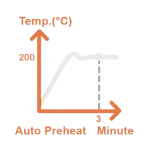
Preheat
Up to charge temperature in three to five minutes, and held there
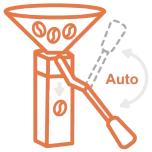
Charge
Green coffee drops into the drum on its own
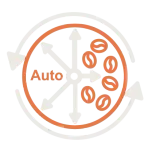
Roast
Heat, airflow and drum speed follow your saved profile
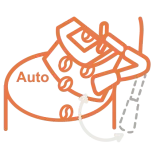
Discharge
The batch drops at the end point you set
Cool
Stirred and cooled in the tray, then released
Most automatic roasters replay what you did. Level 4 follows what you meant
- Lv.1
Digital assist
Records the roast and controls it digitally. You still roast every batch by hand
Below the Rubasse range - Lv.2
Settings replication
Replays your actions: the same heat, airflow and drum speed at the same moments
Pre-order only, on select models - Lv.3
Auto-Pilot
Follows your temperature curve and corrects the heat whenever the readings drift
Nano Pro 1s · Hyper Pro · Hyper Pro Plus · Micro Pro - Lv.4
Roast-Master
Follows your whole roast plan: bean temperature, rate of rise, pressure, time and heat together
Micro Roast-Master
What happens in an automatic roast?
- You pick a profile on the touch screen.
- Auto preheat brings the machine to charge temperature and holds it.
- Auto charge releases the green coffee into the drum.
- The replication system follows your profile, adjusting heat, airflow and drum speed.
- Auto discharge drops the batch into the cooling tray, where it is stirred and cooled.
- Auto release unloads the cooled coffee.
How does profile replication work?
Plenty of us have watched a curve behave itself on screen while the cup told a different story. Replication is only worth having if it lands the same coffee, not just the same line.
When you save a roast you like, the machine stores the bean-temperature curve along with every setting you used. On the next batch the controller compares the live curve with the saved one and corrects heat and airflow whenever they drift. Because the lamp answers in seconds, those corrections land while they still matter.
What do Lv.3 and Lv.4 mean?
They are automation levels. Level 3, Auto-Pilot, follows your saved temperature curve and corrects deviations as it goes. Level 4, Roast-Master, follows the whole roast plan: bean temperature, rate of rise, pressure, time and heat together. The automation levels page sets all four out side by side.
How fast is the preheat?
Three to five minutes to charge temperature, and about the same between batches. Rubasse compares that with 20 to 30 minutes of warm-up and 5 to 10 minutes between batches on a conventional drum roaster. In practice it is the difference between two or three batches an hour and five.
Automatic roasting: questions and answers
What is the difference between the Micro Pro and the Micro Roast-Master?
They share the same 3 kg roaster and differ in automation level. The Micro Pro is Level 3 (Auto-Pilot): it follows your saved temperature curve and corrects deviations, with air pressure compensation as an optional add-on. The Micro Roast-Master is Level 4: it follows your whole roast plan, taking bean temperature, rate of rise, pressure, time and heat together, and has air pressure compensation as standard.
What is Level 4 automation on a Rubasse roaster?
Level 4, called Roast-Master, is Rubasse’s highest automation level. It follows your whole roast plan, taking bean temperature, rate of rise, pressure difference, time and heat together, where lower levels follow settings or temperature alone. It is the level least affected by changes in the room, the green coffee or the charge weight, and it is fitted to the Micro Roast-Master.
What is the difference between Level 3 and Level 4 automation?
Level 3 (Auto-Pilot) follows a saved temperature curve and corrects the heat when readings drift. Level 4 (Roast-Master) follows the whole roast plan: bean temperature, rate of rise, pressure difference, time and heat together. Level 3 is what mainstream high-end roasters offer today, and Level 4 holds a roast steadier when conditions change.
What are the levels of coffee roaster automation?
Rubasse defines four. Level 1 is digital assist: the roaster records and controls digitally but you roast by hand. Level 2 replays your settings. Level 3 follows a temperature curve and corrects as it goes. Level 4 follows the whole roast plan. The Rubasse roasters we stock in the UAE are Level 3 or Level 4, and Level 2 is available by pre-order on select models.
What does fully automatic mean on a Rubasse roaster?
It means the machine can run a complete roast without you. After you pick a saved profile it preheats, charges the green coffee, roasts to the profile, discharges, stirs and cools the batch. You load the hopper and collect the coffee.
How does roast profile replication work?
The roaster saves the bean-temperature curve and settings of a roast you like. On later batches it compares the live curve with the saved one and adjusts heat, airflow and drum speed to stay on it. The lamp responds in about three seconds, so corrections take effect quickly.
Come and watch one roast
Tell us what you roast and how much. We will point you at the right model, send a quote in AED and book you a demo at Port Rashid. Bring your own green coffee.